Define the execution
Catalog administrators decide what runs after approval under “Execution” in the builder. Connected systems run automatically. Work without a connection, or work whose API call fails, goes to people as a runbook task.
Choose the execution method
Section titled “Choose the execution method”“Execution method” has four options.
| Execution method | What happens after approval |
|---|---|
| Runbook | The execution group receives a runbook task, does the work and reports completion |
| Google Workspace | Runs through the Google Workspace API |
| AWS Identity Center | Runs through the AWS IAM Identity Center API |
| Entra ID (Microsoft 365) | Runs through the Microsoft Entra ID API |
Automatic execution expects a specific “Operation” and “Resource template” format for each system. Start from the “Create Google account” or “Grant AWS access” template to get the right format. The AWS setup steps are in Connect to AWS IAM Identity Center.
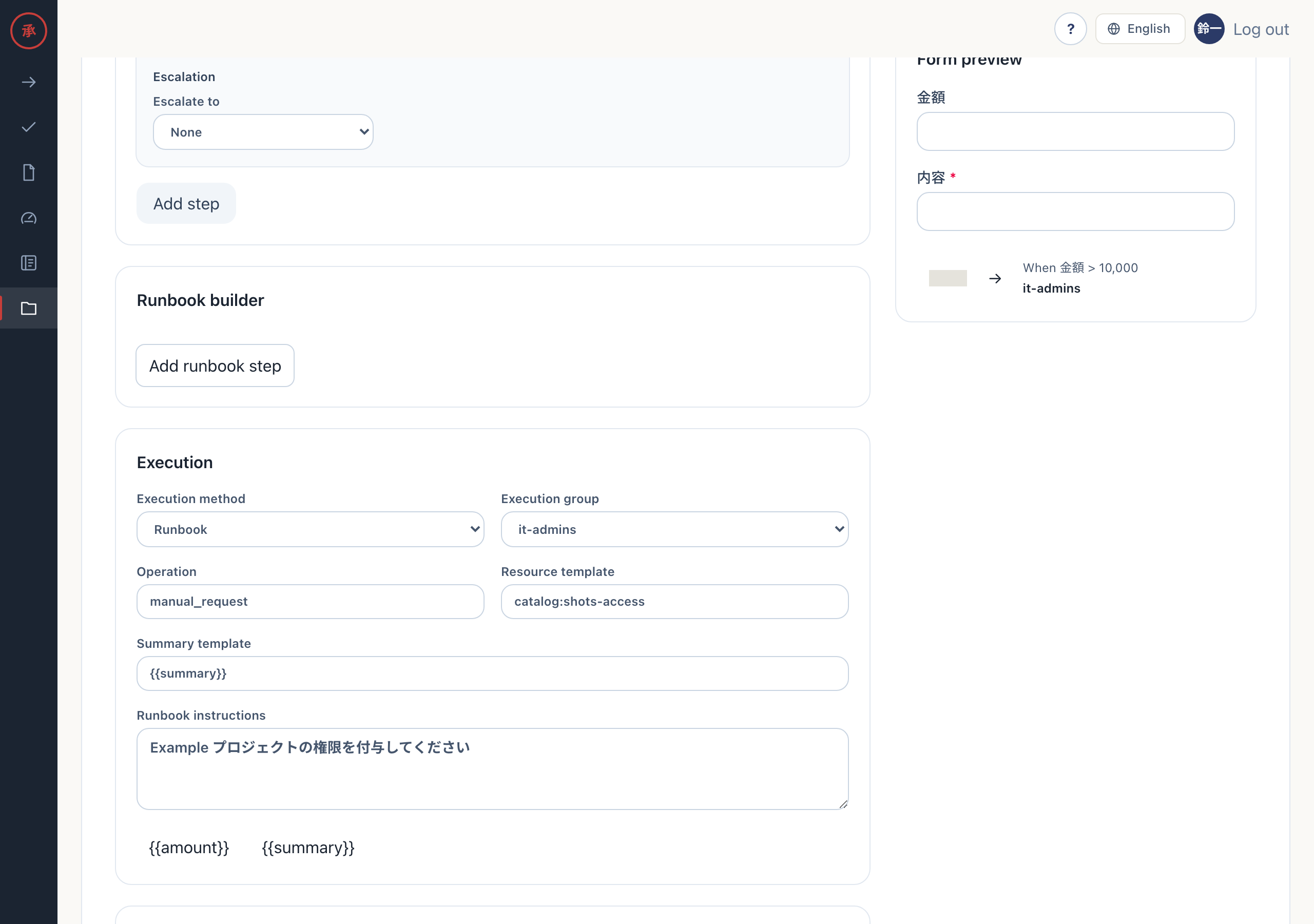
The other boxes under “Execution” are as follows.
| Box | Contents |
|---|---|
| Execution group | The approval group that receives runbook tasks. “No group” means it-admins |
| Operation | The name of the operation to run |
| Resource template | The target of the operation. Can reference form values as {{key}} |
| Summary template | The summary shown on the request and the approval card |
| Runbook instructions | The steps shown in the runbook task |
Fall back to a runbook
Section titled “Fall back to a runbook”Even with an automatic method, the request switches to a runbook task when the connection is not configured or the API call fails. The request does not stop with an error.
- Choose an automatic method in “Execution method”, and choose a group that can do the work in “Execution group”. Also write the manual steps in “Runbook instructions”
- Press “Save changes”. The screen shows “Saved.”
- To check the fallback, approve a request while the connection is missing. The request record shows “Could not auto-execute, switched to runbook”, and members of the execution group receive “🔧 Execution task #
” - A member does the work, presses “Report completion”, enters “Evidence text” and presses “Record completion”. The request is done, and the evidence is kept in the ledger and the audit log
If the execution group does not exist or has no members, the runbook task cannot be sent and the request ends as “Execution failed”. If you keep “No group”, create an it-admins group and add members to it.
To split the work into steps, press “Add runbook step” in the “Runbook builder”. Each step has an “Execution mode”: “Run automatically after approval”, “Operator presses Run” or “Run the command manually”.
Only approved content runs
Section titled “Only approved content runs”When a request is created, Actagate builds an execution plan with the entered values filled in and computes a hash of its content. Approvers approve this plan. Right before execution, the approved hash is checked against the plan again. If they do not match, nothing runs.
The request detail screen says “This plan stays the same even if the catalog changes after submission.” The catalog edit screen also says “Changes apply only to future requests; existing request plans and hashes are unchanged.” Changing the catalog does not affect these parts of a request in progress.
- The execution method, operation, resource template, summary and runbook instructions
- The steps from the runbook builder
- The monthly cost and the expiry date
- The approval route (as evaluated when the request was created)
All of these keep the values from submission.
There is one exception. For a request with a single catalog item, the recipients of the runbook task come from the catalog’s current “Execution group” at the time the task is sent. If you change the execution group while requests are in progress, tasks not yet sent go to the new group. For a request that bundles several catalog items, the group at submission is stored in the plan and does not change.